Need Help Setting Up Your Roborock or Roomba?
Whether it's WiFi pairing failures, offline issues, or app configuration, our calm experts will get your robot vacuum back online in minutes. Zero tech-jargon anxiety.
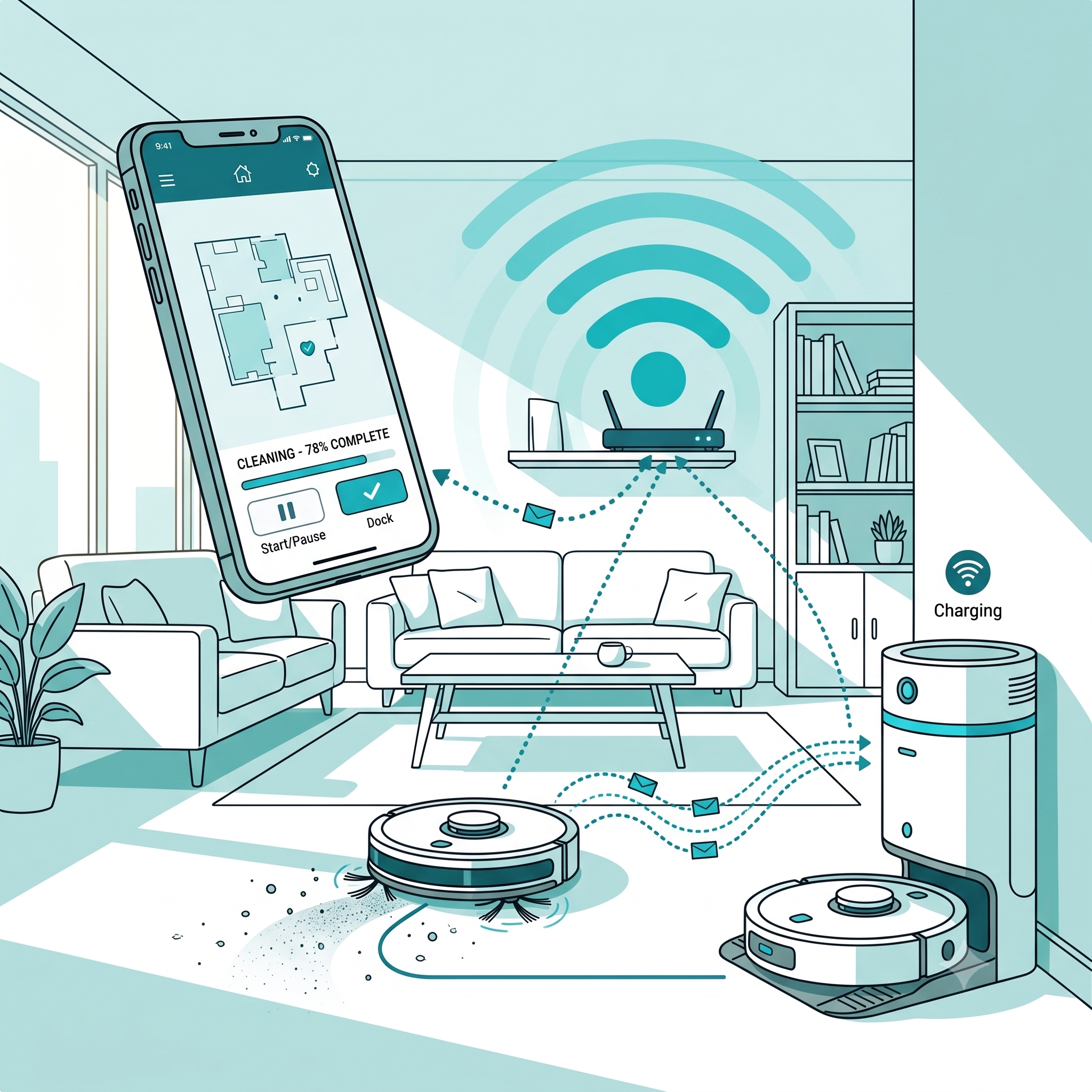
Quick Model Troubleshooter
Pick your model and we’ll run a quick guided check on the common connectivity and mapping issues, then connect you with a specialist to confirm the fix.
Brands We Support
Comprehensive troubleshooting for the leading robot vacuum ecosystems.
Roborock
Expert configuration for S-Series, Q-Series, and multi-floor mapping.
Roomba
Resolve app pairing and connection drops for all iRobot vacuums.
iRobot Braava
Mopping robot setup, smart mapping, and router connection fixes.
See It In Action
A rolling look at the robots, docks and setups we help our customers get back online.
Dedicated Solutions
We don't just read manuals; we guide you step-by-step.
WiFi Setup
Connect your robot to 2.4GHz networks cleanly and reliably.
Offline Troubleshooting
Revive vacuums that suddenly dropped off the app.
App Pairing
Sync your smartphone to the vacuum without failures.
Router Change
Reconfigure settings after upgrading your home internet.
Configuration
Optimize mapping, schedules, and no-go zones.
Installation Guidance
Find the perfect spot for the dock and prep the room.
Experiencing These Issues?
Start a chat. We've seen it before and we know how to fix it.
How Live Chat Works
A simple, transparent process to get your home clean again.
Start Chat
Click any button to open our secure chat window.
Describe Issue
Tell us the model and what is going wrong.

Guided Assistance
A specialist gives you exact steps to fix it.
Setup Completed
Your robot is back online and cleaning.
Why Choose Us
Expertise you can rely on when manufacturer support takes too long.
Independent Support
We provide unbiased, direct help without long hold times.
Responsive Assistance
Connect with a specialist in minutes, not days.
Professional Guidance
Calm, step-by-step instructions without technical jargon.
Secure Communication
Your privacy is paramount. We don't ask for sensitive passwords.
Modern Technology
Seamless chat interface right in your browser.
Transparent Process
Clear expectations and clear resolutions.
Frequently Asked Questions
Most robot vacuums require a 2.4GHz WiFi network to connect. If your router uses a single name for both 2.4GHz and 5GHz, the robot may fail to pair. We can guide you through isolating the network. Start a live chat for personalized help.
An offline status usually means the vacuum has disconnected from the router, or the battery drained entirely. Rebooting the robot and router often helps, but sometimes a network reset is required. Start a live chat to walk through the exact steps.
You typically press and hold both the "Dock" and "Power" buttons until you hear the "Resetting WiFi" voice prompt and the indicator light blinks slowly. If it's still not responding, start a live chat for assistance.
Absolutely. We can guide you through downloading the correct app, creating an account, and executing the pairing sequence without errors. Click "Start Live Chat" to get started.
When you change your router or password, the vacuum must be completely reset and re-paired as a new device. It cannot automatically find the new network. Start a live chat, and we'll help you reconfigure it.
The final step often involves the robot verifying the internet connection. VPNs, cellular data interference, or router firewall settings can block this. We can help troubleshoot your phone settings via live chat.
No. Sale IT Tech / RAARC Services is an independent technology support provider. We offer fast, expert guidance for users who prefer immediate help without waiting for manufacturer queues.
Map loss can happen after firmware updates or if the dock is moved. Sometimes the map can be restored from the app's history. Start a live chat, and we'll check your configuration.
A factory reset clears all maps and schedules. The exact button combination varies by model (e.g., holding Clean, Spot, and Dock). Because this erases data, start a live chat first so we can verify if a full reset is necessary.
If the WiFi light is solid or off completely, the vacuum is not in pairing mode. Ensure the vacuum has enough charge, off the dock, and try the reset buttons again. If it persists, chat with us to troubleshoot hardware vs software issues.
Currently, almost all Roborock and Roomba models only support 2.4GHz networks. This provides better range through walls. We can help you configure your phone and router to connect properly via live chat.
This typically points to WiFi dead zones in your home or a battery failing to hold voltage under load. We can help you map out the connection issues. Start a live chat for guidance.
No, the official iRobot and Roborock apps are free. If you see a prompt asking for payment to download an app, it may be a fake app. Start a chat with us so we can ensure you have the safe, correct application.
This happens when the vacuum connects to the router but the router prevents it from reaching the cloud servers. We can guide you through adjusting router permissions. Click "Start Live Chat" for immediate help.
Under normal circumstances, setup takes 5-10 minutes. If you're experiencing errors, our specialists can usually resolve them with you in 15-20 minutes. Start a live chat to get your robot running.
Let's Get Your Robot Vacuum Online.
Stop struggling with confusing manuals and flashing lights. Our experts are ready to help you right now.